In an increasingly connected world, clear and reliable video communication has become paramount, whether for professional meetings, online learning, or connecting with loved ones. While integrated laptop cameras have seen improvements, they often fall short in quality and flexibility. This is where a dedicated computer webcam steps in, but what if you could have all the benefits without the cable clutter? Wireless PC cameras offer an untethered solution, providing unparalleled freedom and a cleaner workspace. This comprehensive guide will walk you through everything you need to know about choosing and optimizing the best wireless PC camera for your needs.
What is a Wireless PC Camera? Why Go Cord-Free?
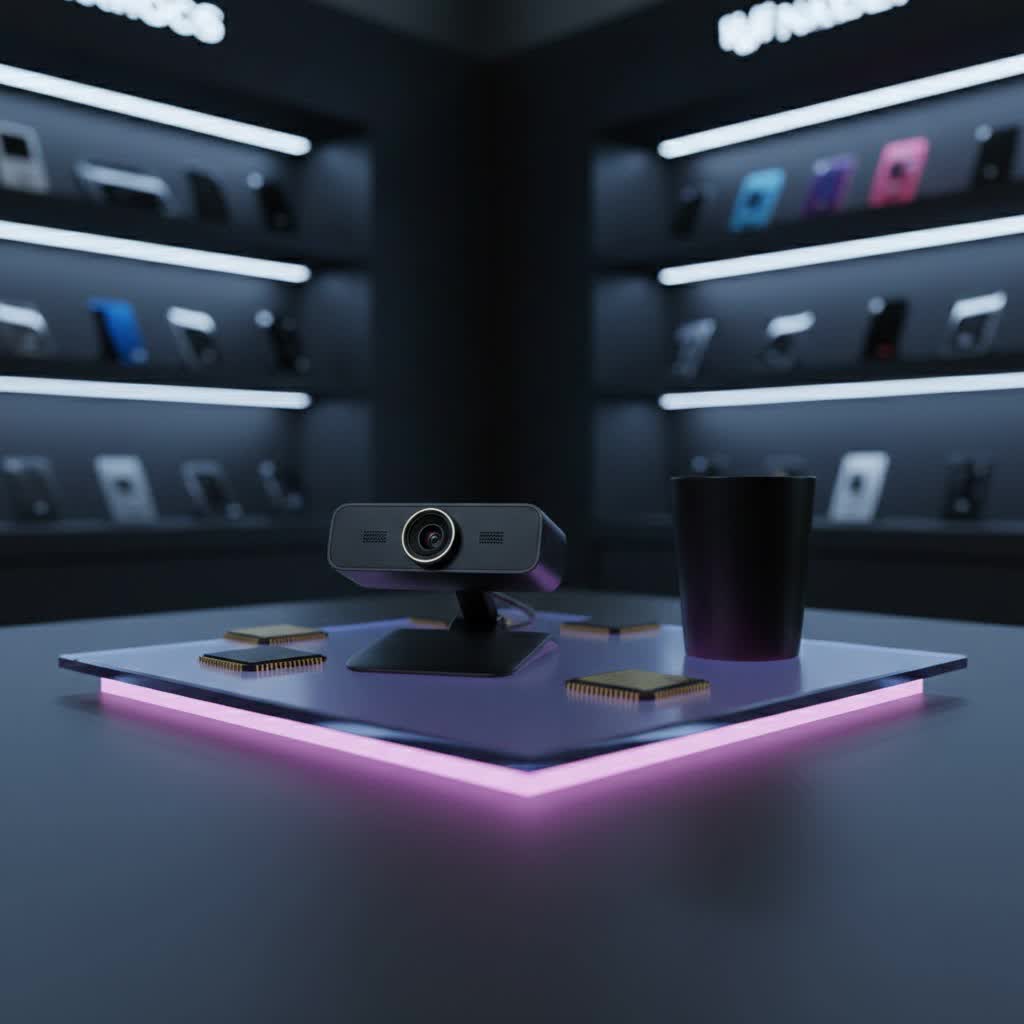
A wireless PC camera is a video device designed to capture and transmit live video and audio footage to your computer without the need for physical data cables. These innovative cameras utilize various wireless technologies, offering a clutter-free and portable solution that allows users to position the camera wherever it’s most effective without the constraints of tangled wires.
The primary advantage of opting for a wireless PC camera is the freedom from cables. This means you can easily reposition your camera to achieve the perfect angle, whether you’re demonstrating a product on your desk, presenting in a conference room, or simply wanting to move freely during a video call. Beyond flexibility, a wireless setup contributes to a much cleaner and more organized workspace, enhancing both aesthetics and productivity. For remote workers or content creators who frequently change their setup, the portability of a wireless webcam is invaluable.
Types of Wireless PC Cameras
Wireless PC cameras primarily use different technologies to establish a connection with your computer:
- Wi-Fi Webcams: These cameras connect to your existing Wi-Fi network, similar to how your smartphone or laptop connects to the internet. They typically offer good range and are suitable for transmitting high-resolution video streams over a local network.
- Bluetooth Webcams: Bluetooth webcams pair directly with Bluetooth-enabled devices, such as your computer or laptop. They are known for their low power consumption, which can contribute to longer battery life, but they generally have a more limited operating range compared to Wi-Fi cameras.
- Wireless USB Dongle Cameras: Some wireless webcams come with a proprietary USB dongle that plugs into your computer. This dongle creates a dedicated wireless connection (often using 2.4GHz frequency) between the camera and the PC, simplifying setup as the camera and dongle are often pre-paired.
It’s also important to distinguish between how these cameras are powered:
- Battery-Powered (“Wire-Free”) Cameras: These offer the ultimate in placement flexibility since they don’t require any power cables. Their operational time is limited by battery life, which can range from a few hours to a full workday. They are ideal for temporary setups or locations without easy access to power outlets.
- Plug-in Wireless Cameras: While they transmit data wirelessly, these cameras still require a power cable connected to an outlet. They offer continuous operation without worrying about battery drain and often come with more advanced features and higher resolutions due to a consistent power supply.
Key Factors When Choosing a Wireless PC Camera
Selecting the right wireless PC camera involves evaluating several critical features to ensure it meets your specific needs.
Connectivity & Range
|
Our Picks for the Best Computer Webcam in 2026
As an Amazon Associate I earn from qualifying purchases.
|
||
| Num | Product | Action |
|---|---|---|
| 1 | Gohero Full HD 1080P Video Webcam, Noise Cancellation, Privacy Cover, Wide-Angle Lens, Auto Light Correction, Plug & Play USB Webcam for Laptop, Desktop, PC, Mac, Zoom, Skype Pro Series |

|
| 2 | TRAUSI 1080P Webcam with Active Light Correction, Privacy Cover, Plug and Play USB Webcam for PC/Desktop/Laptop |
|
| 3 | RUWBY Full HD 1080P Webcam with Built-in Dual Mics, Wide-Angle Lens, Privacy Cover, Tripod Stand, Autofocus Computer Camera, Plug and Play for Desktop PC or Laptop |
|
| 4 | EMEET 1080P Webcam with Microphone, C960 Web Cam, 2 Mics, 90° FOV, USB Type-A & A-to-C Adapter, Plug&Play Computer Camera for Online Calling, Zoom/Teams/Facetime, Switch 2 Camera Support, 2025 Version |
|
| 5 | Logitech Brio 101 Full HD 1080p Webcam for Meetings, Streaming, Desktop, Laptop, PC - Built-in Mic, Shutter, Works with Zoom, Microsoft Teams, Nintendo Switch 2’s New GameChat Mode, USB-A,-Black |
|
| 6 | Shcngqio 1080P HD Webcam with Microphone, Noise Cancellation, Privacy Cover, Wide-Angle Lens, Auto Light Correction, Plug & Play USB Webcam for Laptop, Desktop, PC, Mac, Zoom, Skype, Streaming (Black) |
|
| 7 | NexiGo N60 1080P Webcam with Microphone, Software Control & Privacy Cover, USB HD Computer Web Camera, Plug and Play, for Zoom/Skype/Teams, Conferencing and Video Calling |
|
| 8 | Logitech C920x HD Pro PC Webcam, Full HD 1080p/30fps Video, Clear Audio, HD Light Correction, Works with Microsoft Teams, Google Meet, Zoom, Nintendo Switch 2’s New GameChat Mode, Mac/Tablet- Black |
|
| 9 | Logitech C920e HD 1080p Mic-Enabled Webcam, Certified for Zoom, Microsoft Teams Compatible, TAA Compliant |
|
| 10 | Logitech C270 HD Webcam, 720p, Widescreen HD Video Calling, Light Correction, Noise-Reducing Mic, Works with Zoom, Nintendo Switch 2’s New GameChat Mode, PC/Mac/Laptop/MacBook/Tablet - Black |
|
The type of wireless connection dictates the camera’s range and reliability. Wi-Fi webcams generally offer the broadest coverage, leveraging your existing home network. Bluetooth webcams are best for close-range use, while proprietary USB dongle systems can offer a stable connection within their specified range. Consider your typical usage environment: do you need to place the camera far from your computer, or will it be relatively close? Check the effective wireless range specified by the manufacturer.
Resolution & Frame Rate
- Resolution: This determines the clarity and detail of your video.
- 720p (HD): Basic quality, may appear grainy.
- 1080p (Full HD): A widely accepted standard for clear video calls and streaming, offering a good balance of quality and file size. Many popular video conferencing platforms like Zoom and Microsoft Teams often cap streaming at 1080p.
- 2K (Quad HD): Offers noticeably sharper images than 1080p, great for professional presentations or detailed content creation.
- 4K (Ultra HD): Provides the highest level of detail and is ideal for professional content creation or situations where extreme clarity is paramount. However, 4K streaming often requires a robust internet connection and may not be fully utilized by all platforms.
- Frame Rate (FPS – Frames Per Second): This affects the smoothness of your video.
- 30fps: Standard for most video calls, offering a natural look.
- 60fps: Ideal for fast-moving content, gaming, or streaming, providing a smoother, more fluid video experience.
Battery Life (for Portable Models)
If you opt for a battery-powered wireless camera, battery life is a crucial consideration. Look for models that offer sufficient operating time for your typical use case. Some models provide up to 3 hours of use, while others boast an impressive 9 hours on a single charge, ideal for extended meetings or recording sessions. Recharge time is also a factor to consider.
Microphone Quality
A good quality built-in microphone with noise reduction capabilities is essential for clear audio, especially in busy environments. Some webcams feature dual noise-reduction microphones to ensure your voice is heard loud and clear. While external microphones often offer superior audio, a decent integrated mic can suffice for most needs.
Field of View (FOV)
The FOV determines how much of the scene the camera captures.
- Narrow FOV (around 60-70 degrees): Best for individual use, focusing solely on you.
- Standard FOV (around 78-80 degrees): A good all-around choice for personal use or small groups.
- Wide FOV (90 degrees or more): Ideal for capturing multiple people in a meeting room, or if you want to show more of your background.
Autofocus & Auto Light Correction
These features significantly enhance video quality by ensuring you remain sharp and well-lit.
- Autofocus: Automatically adjusts the lens to keep you in crisp focus, even if you move around. This is invaluable for presentations or dynamic video calls.
- Auto Light Correction: Automatically adjusts the camera’s settings to optimize visibility in various lighting conditions, making you look good even in dim environments.
Additional Features
- AI Tracking & Auto-Framing: Advanced cameras can automatically pan, tilt, and zoom to keep you centered in the frame, even if you move.
- Gesture Control: Some high-end models allow you to control camera functions with simple hand gestures.
- Privacy Shutter: A physical cover for the lens provides peace of mind when the camera is not in use.
- Companion Software: Software allows for fine-tuning settings like brightness, contrast, color, and FOV.
- Mounting Options: Check if the webcam includes a flexible clip for monitor mounting, or a tripod thread for more versatile placement.
Top Picks: Best Wireless PC Cameras for Every Need
While many popular webcams are wired, several excellent wireless options offer convenience and performance. Here are some standout models noted for their wireless capabilities and features:
- TOALLIN 1080P HD Wireless Webcam: This webcam offers freedom of movement with its 2.4G wireless connection, reaching up to 50 meters in open spaces and around 20 meters indoors. It records in full HD 1080p at 30 frames per second with a 70° field of view and features a simple plug-and-play USB receiver. Its rechargeable battery provides approximately 3 hours of use.
- Gsou Wireless Webcam: Known for its extended battery life of up to 9 hours on a single charge, making it ideal for long calls. It streams 1080p video at 30 frames per second over a 2.4 GHz Wi-Fi connection with a range of up to 65 ft and includes a detachable telescopic tripod stand.
- Project Telecom Maronei Wireless Webcam: Designed with professionals in mind, this camera features autofocus and a 73° field of view, capturing 1080p video at 30 frames per second. It offers versatility with both USB-A and USB-C connectors and digital microphone array capturing voices up to 3 meters. Its rechargeable battery provides around 3 hours of use.
- Insta360 Link 2 PTZ 4K Webcam: Though it often appears as a wired USB webcam, some retailers list it with “wireless computer camera with microphone bluetooth” features. It boasts 4K resolution, a 1/2″ sensor, and AI tracking, making it a powerful tool for conferencing, gaming, and streaming.
- Logitech Mevo Core: Described as a “4K wireless streaming camera with interchangeable lens,” this camera is geared towards content creators and advanced users who need high-quality wireless streaming capabilities. It offers app-controlled live editing, making complex setups simpler.
Wireless PC Camera Buying Guide: Making the Right Choice
Choosing the perfect wireless PC camera can feel overwhelming with the array of options available. Follow this guide to simplify your decision-making process:
-
Define Your Needs: What will you primarily use the webcam for?
- Casual video calls (friends/family): A 1080p webcam with basic features will suffice.
- Professional meetings/remote work: Look for 1080p or 2K resolution, good low-light performance, autofocus, and a quality microphone. AI features like auto-framing can be a significant plus.
- Streaming/Content Creation: Prioritize 1080p at 60fps or 4K resolution, a large sensor for better low-light performance, advanced image controls, and potentially AI tracking.
- Presentations requiring movement: A battery-powered camera with a wide FOV and stable wireless connection is key.
-
Set a Budget: Wireless webcams vary widely in price. Determine how much you’re willing to invest, keeping in mind that higher prices often correlate with better resolution, advanced features, and superior build quality.
-
Consider Brands: Reputable brands like Logitech, Anker, Insta360, and Obsbot often provide reliable products and customer support. Newer brands like Tolen, Gsou, and Project Telecom Maronei are also emerging with competitive wireless offerings.
-
Check Compatibility: Ensure the webcam is compatible with your computer’s operating system (Windows, macOS, Linux) and your preferred video conferencing or streaming software (Zoom, Teams, Google Meet, OBS Studio).
-
Read Reviews: Look for reviews from trusted sources and other users to get real-world insights into performance, battery life, and connectivity stability.
Tips for Using and Maintaining Your Wireless PC Camera
To get the most out of your wireless PC camera and ensure its longevity, follow these practical tips:
- Proper Setup and Pairing: Always follow the manufacturer’s instructions for initial setup and pairing. For Bluetooth cameras, ensure Bluetooth is enabled on your PC. For dongle-based cameras, simply plug in the receiver.
- Optimize Placement: Position your camera for the best angle and lighting. Face a light source rather than having it behind you. For wireless cameras, ensure there are no major obstructions between the camera and your receiver/router to maintain a strong signal.
- Manage Battery Life: If you have a battery-powered webcam, fully charge it before important sessions. Consider having it plugged in if you’re stationary and power is available to conserve battery for mobile use.
- Keep Software Updated: Regularly check for and install firmware and software updates from the manufacturer. These updates often improve performance, add new features, and fix bugs.
- Regular Cleaning: Gently clean the lens with a microfiber cloth to remove dust and smudges, which can degrade image quality. Wipe the body of the camera with a soft, damp cloth.
- Secure Your Connection: For Wi-Fi cameras, ensure your home network is secure with a strong password to prevent unauthorized access.
Conclusion
Wireless PC cameras are transforming how we engage with digital video, offering unmatched flexibility and a streamlined setup that traditional wired webcams simply can’t match. By understanding the different types, key features, and top models available, you can confidently choose a camera that perfectly aligns with your communication and creative needs. Embrace the freedom of an untethered video experience, enhancing your professionalism, productivity, and personal connections.
What aspects of a wireless PC camera are most important for your daily tasks?
Frequently Asked Questions
Can I connect any webcam wirelessly to my computer?
No, not all webcams are wireless. While many traditional webcams connect via USB cables, dedicated wireless PC cameras utilize technologies like Wi-Fi, Bluetooth, or proprietary wireless protocols to transmit video and audio data to your computer without physical cables. You need a webcam specifically designed for wireless operation.
Do wireless webcams have good battery life for long meetings?
Battery life for wireless webcams varies significantly. Some models offer around 3 hours of continuous use, which might be sufficient for shorter meetings. However, higher-end options can provide up to 9 hours, making them suitable for full workdays or extended streaming sessions. Always check the manufacturer’s specifications for battery performance.
Is a Wi-Fi or Bluetooth wireless webcam better for a PC?
The “better” option depends on your specific needs. Wi-Fi webcams generally offer a broader range and more robust data transmission, making them suitable for higher resolutions and placements further from your computer. Bluetooth webcams are typically more energy-efficient and simpler for direct pairing but have a shorter operational range.
